


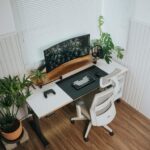



Creating a productive home office environment has become essential for many people as remote work becomes more common. A well-designed workspace can improve focus, reduce stress, and help separate work life from home life. If you’re looking to make the most of your home office, here are some helpful tips to create an environment that supports your best work.
Choose the Right Location
The first step in setting up a productive home office is deciding where it will be. Ideally, choose a quiet area with minimal distractions and enough space for your desk and equipment.
– Avoid high-traffic areas like the kitchen or living room.
– Consider natural light to help keep your energy levels up.
– If possible, pick a room with a door to signal when you are working.
Invest in Ergonomic Furniture
Comfort plays a big role in productivity. Sitting in an uncomfortable chair or hunching over a desk can cause aches and reduce concentration.
– Choose a chair with adjustable height and good lumbar support.
– Position your desk so your computer screen is at eye level.
– Use an external keyboard and mouse if you work on a laptop to maintain proper posture.
– Consider a sit-stand desk, allowing you to alternate positions throughout the day.
Organise and Declutter Your Workspace
A tidy workspace can help clear your mind and make it easier to focus on tasks.
– Use storage solutions like shelves, drawers, or organisers.
– Keep only the items you regularly use on your desk.
– Set a routine for tidying your space at the end of each day.
– Use cable organisers to keep wires neat and reduce visual clutter.
Control Lighting and Reduce Glare
Proper lighting reduces eye strain and keeps you alert.
– Maximise natural light but avoid direct sunlight hitting your screen.
– Use adjustable lamps with soft, warm lighting for evening work.
– Position your monitor perpendicular to windows to reduce glare.
Minimise Noise and Distractions
Noise can disrupt concentration, especially when working on complex tasks.
– Use noise-cancelling headphones or play background music if helpful.
– Inform family members or housemates about your work hours.
– Close doors or use door signs to indicate when you should not be disturbed.
Add Personal Touches for Motivation
A workspace that feels welcoming and inspiring can boost morale and creativity.
– Decorate with plants to improve air quality and add a calming touch.
– Display photos, art, or objects that make you happy.
– Choose colours that energise or relax you, such as blues or greens.
Set Boundaries and Work Hours
Maintaining a schedule helps create work-life balance.
– Define clear start and finish times for your workday.
– Take regular breaks to stretch and refresh your mind.
– Avoid working from bed or sofas to keep work and rest areas separate.
Utilise Technology Wisely
The right tools can improve efficiency and communication.
– Invest in a reliable internet connection.
– Use apps for time management, task tracking, or video calls.
– Regularly update software to prevent technical issues.
Incorporate Movement and Breaks
Sitting for long periods reduces productivity over time.
– Use reminders or timers to stand and move every hour.
– Stretch or walk around your home during breaks.
– Practise simple exercises to relieve tension.
—
By applying these tips, you can create a home office environment that supports focus, health, and productivity. Remember, the ideal setup depends on your personal preferences and work style, so take time to experiment and adjust your space until it works best for you. A well-designed home office helps not only in getting the job done but also in maintaining balance and wellbeing in your daily routine.



More Stories
Tips for Creating a Cosy and Inviting Living Room on a Budget
Simple Tips for Creating a Relaxing and Productive Home Workspace
Create a Cosy and Inviting Home Office Space with These Simple Tips